
Issues Building Oqtane.Server.csproj After Installing 2sxc Templates
When developing with Oqtane in developer mode, you typically run Oqtane.Server.csproj by pressing F5 in Visual Studio. This action builds the project and its dependencies before launching it on IIS Express (localhost). However, after installing 2sxc Content and App templates, you might encounter build failures when compiling Oqtane.Server.csproj.
The same issue can also happen when creating an Oqtane dev app from the oqtane-app template:
dotnet new install Oqtane.Application.Template

mkdir C:\oqtanedemo
cd C:\oqtanedemo

dotnet new oqtane-app -o OqtaneDemoApp
cd OqtaneDemoApp

dotnet build

cd Server
dotnet run
Problem Overview
After adding 2sxc templates to your Oqtane project, the Visual Studio build process may fail with numerous errors—sometimes over 1,000—rendering Oqtane unusable in the development environment.
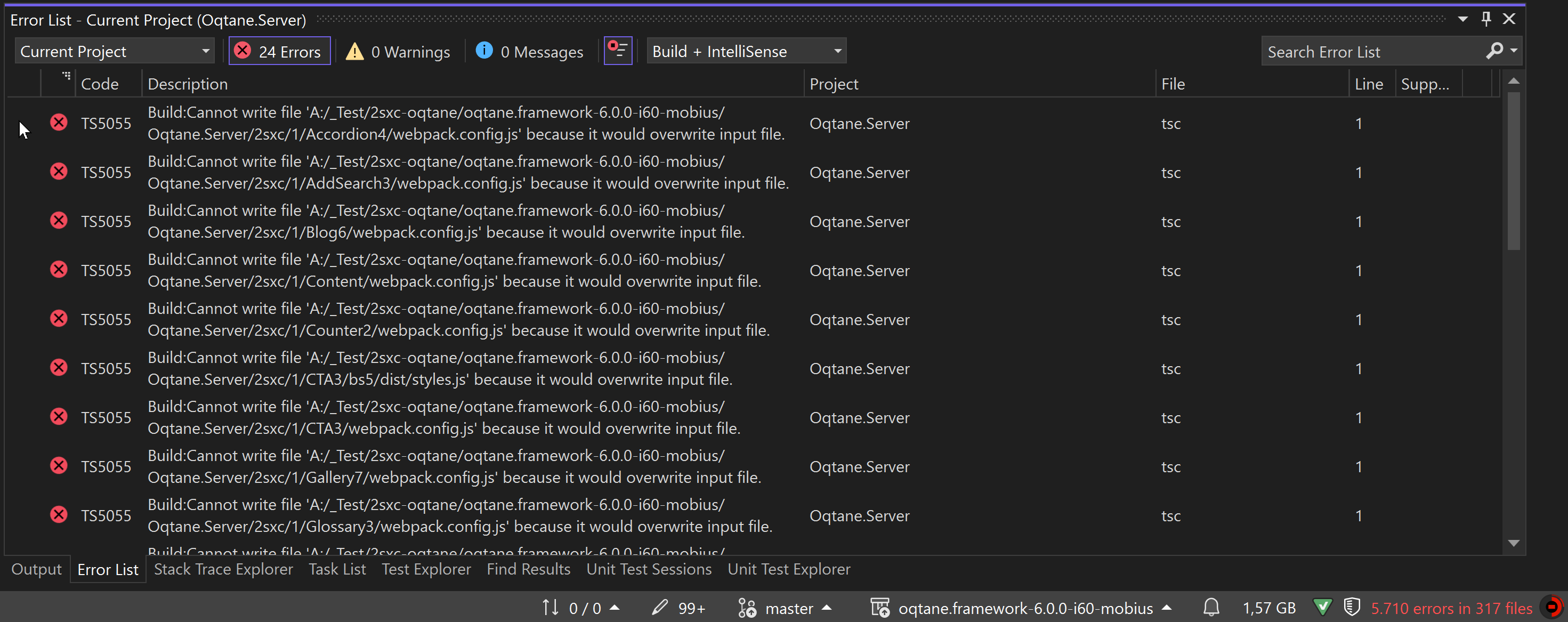
Affected Folders
The build can pick up runtime files from two folders:
2sxc- site apps and templatesContent- persisted content, including 2sxc system and app files
These folders must remain on disk, but they should not be included in the Oqtane.Server project.
Solution: Exclude the Runtime Folders from the Build
Add one exclusion block to the server project so build ignores both folders.
Steps to Exclude Folders
Open
Oqtane.Server.csproj:Locate the server project file (eg
Oqtane.Server.csproj) in your project directory and open it with a text editor or within Visual Studio. For template-created apps this is usuallyServer\YourAppName.Server.csproj.Add Exclusion Rules:
Insert the following
<ItemGroup>inside the<Project>element. If you already have an exclusion block for2sxc, replace it with this block:<ItemGroup> <!-- Exclude these directories from compilation --> <Compile Remove="2sxc\**;Content\**" /> <!-- Exclude content files from the build output --> <Content Remove="2sxc\**;Content\**" /> <!-- Exclude files from being embedded as resources --> <EmbeddedResource Remove="2sxc\**;Content\**" /> <!-- Exclude miscellaneous files not included elsewhere --> <None Remove="2sxc\**;Content\**" /> <!-- Exclude files from the dotnet watch tool --> <Watch Remove="2sxc\**;Content\**" /> </ItemGroup>This only changes how the project handles the files. It does not delete them or prevent 2sxc from using them at runtime.
Save and Rebuild:
Save the changes to
Oqtane.Server.csprojand rebuild the project by pressingF5or selecting Build > Rebuild Solution in Visual Studio.
Why This Happens
The .NET SDK automatically includes matching files below the project folder. The 2sxc and Content folders can contain .cs, .cshtml, and other runtime files that belong to 2sxc apps, not to Oqtane.Server. Without the exclusions, build may compile or process these files as part of the server project.
Summary
By excluding both runtime folders, you keep their files available to 2sxc without treating them as part of the server project.