Edition Switching in 2sxc 20.00.03
2sxc 20.00.03 introduces a highly requested feature: edition switching. This allows developers, designers, and content managers to toggle between different editions of content or layouts directly from the toolbar — instantly and securely.
What Are Editions?
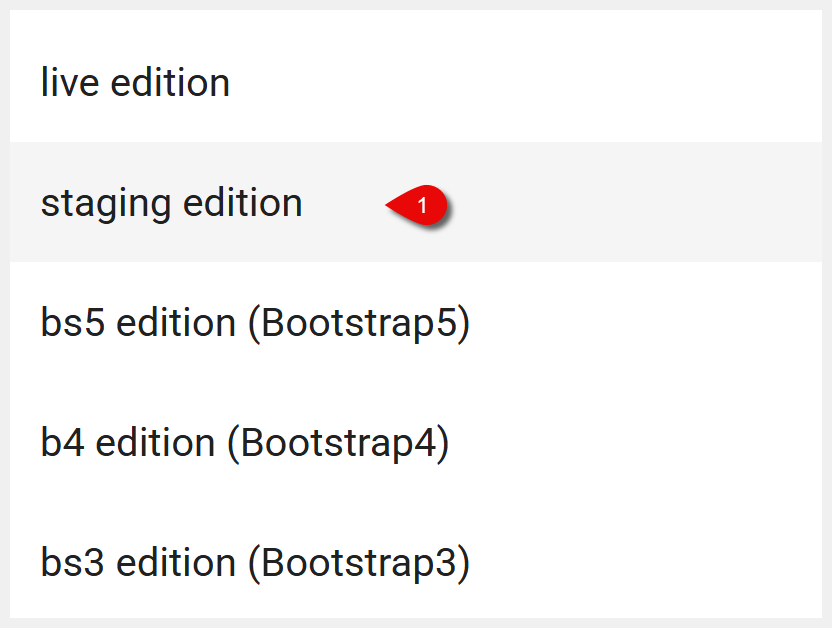
Editions in 2sxc let you serve different content or layouts depending on the context. Common use cases include:
- Live vs Staging: Show published content to users while keeping drafts or upcoming changes separate.
- Multiple Visual Themes: For example, switching between Bootstrap 3 and Bootstrap 5 styles.
- Regional Variants: Different content or layout depending on location or audience.
With the edition switching feature, you can preview and test these variations easily from the toolbar.
How Edition Switching Works
When you add the .Edition() tweak to your toolbar, a dialog appears allowing users to switch between configured editions (e.g., staging, live).
Kit.Toolbar.Empty().Edition()
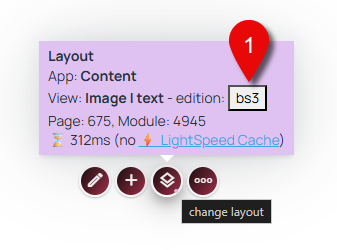
Alternatively, edition switching can be accessed by hovering over the layout change toolbar and clicking the edition button.
Switching editions changes the displayed content or layout — for example, toggling between Bootstrap 3 and Bootstrap 5 styles, or switching from draft to published content.
Permissions
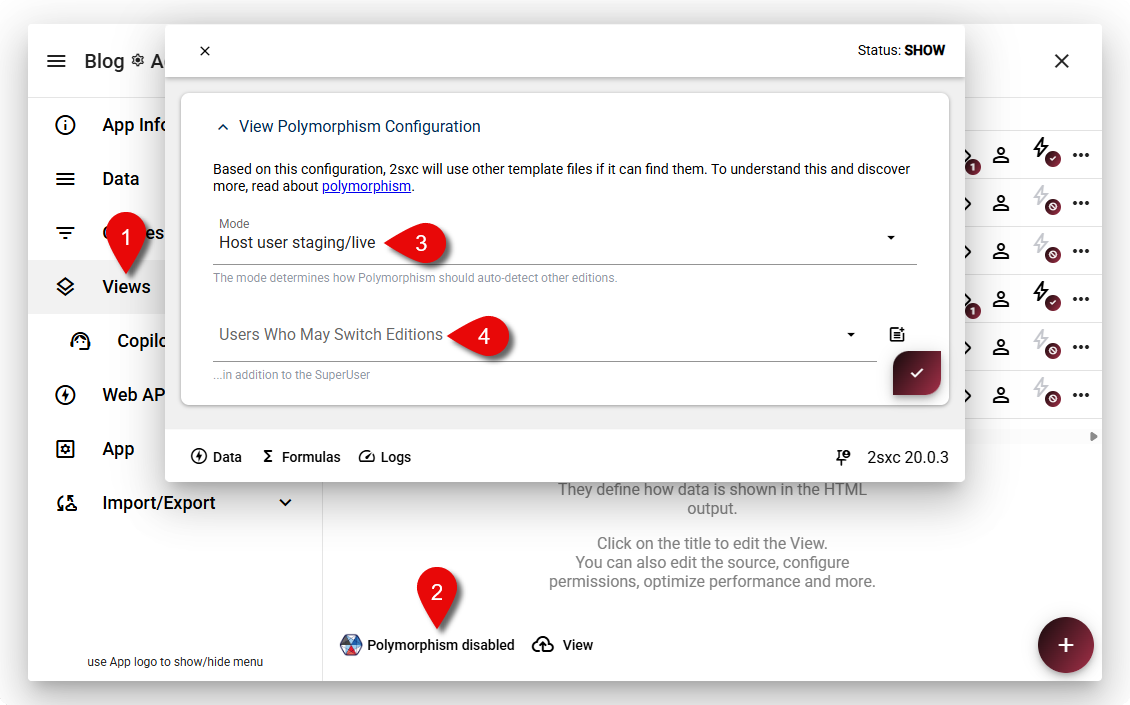
- By default, only developers or host users can switch editions.
- To allow editors or admins to switch editions, adjust the polymorphism permissions accordingly.
- If users lack permission, the edition switcher will not be visible unless explicitly added with .Edition() in the toolbar configuration.