Table of Contents

Create Your First Hello World App Extension WIP

In this section, we'll create a simple "Hello World" App Extension to demonstrate the basics of extension development.

Step 1: Create the Extension Folder

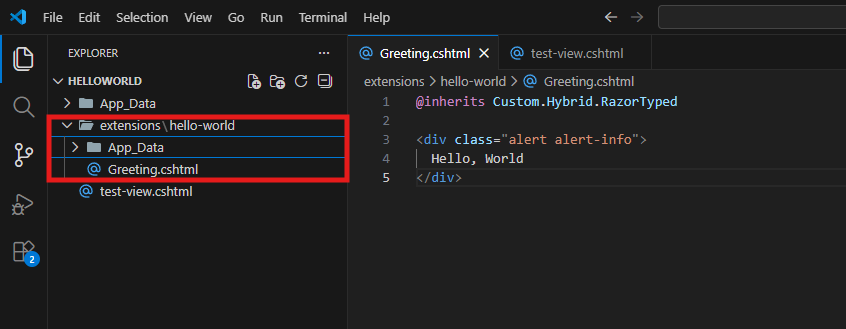
In your App, create a new folder /extensions/hello-world and inside that, create a Greeting.cshtml file with this contents:

@inherits Custom.Hybrid.RazorTyped

<div class="alert alert-info">
  Hello, World
</div>

Note: The @inherits Custom.Hybrid.RazorTyped is optional, it would allow the Razor file to use the 2sxc API.

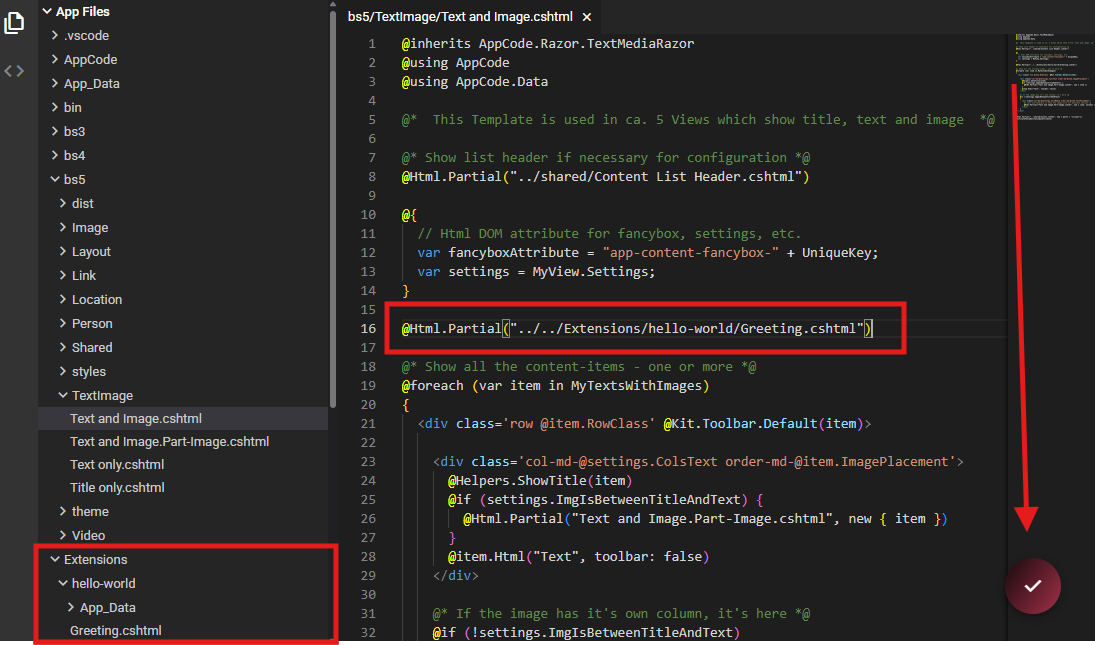
Here's how your extension folder and Greeting.cshtml should look:

Step 2: Test Your Extension

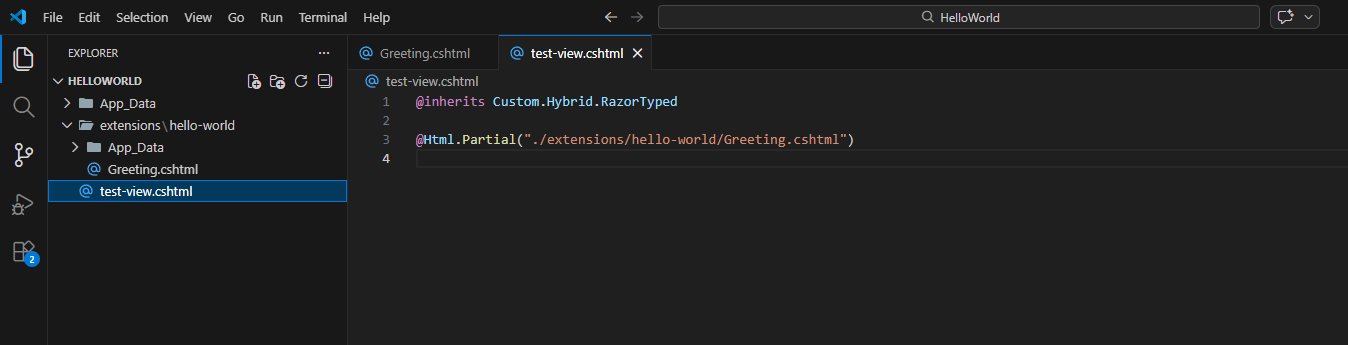
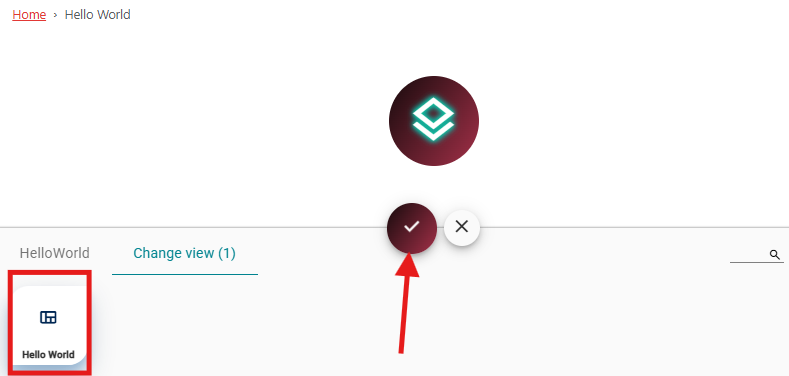
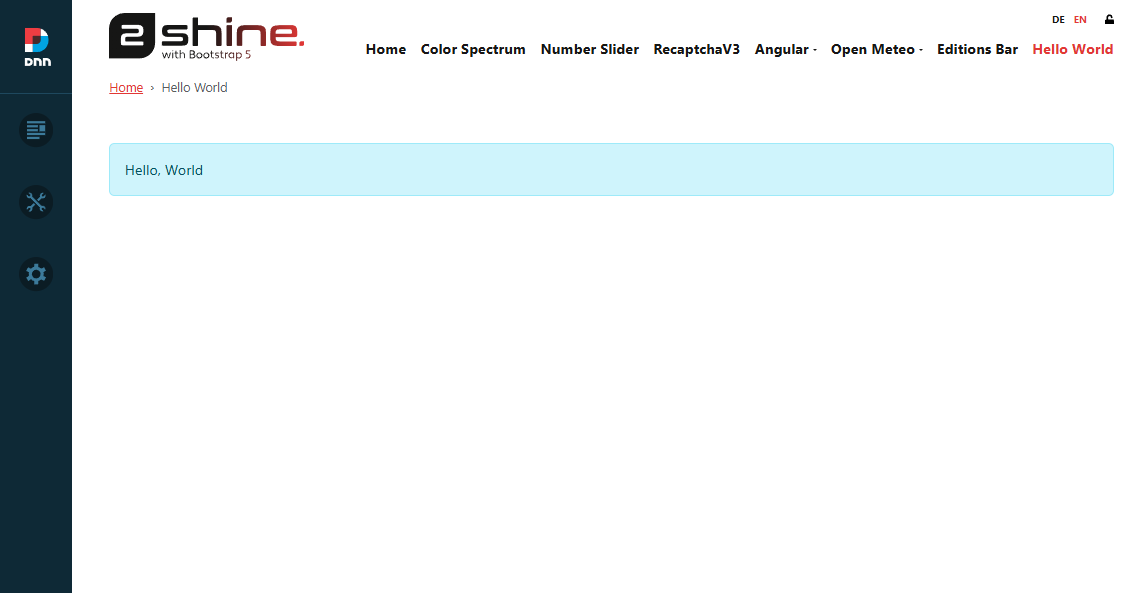
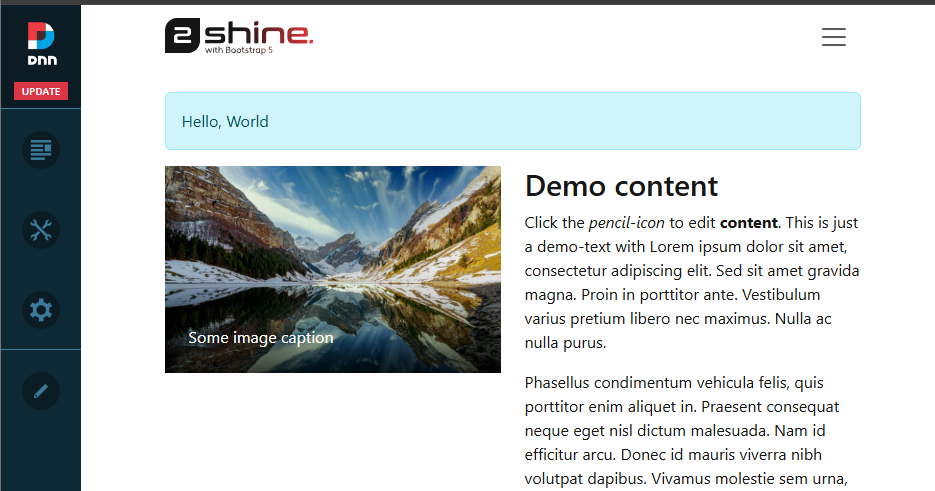
Create a new file inside your App directory Inside this file, use @Html.Partial(Path) to render your extension component.

Tip

Do not place it inside the extensions directory. This file is just for testing the extension, and you don't want to include it in the export.

Step 3: Create the Extension Manifest/Definition

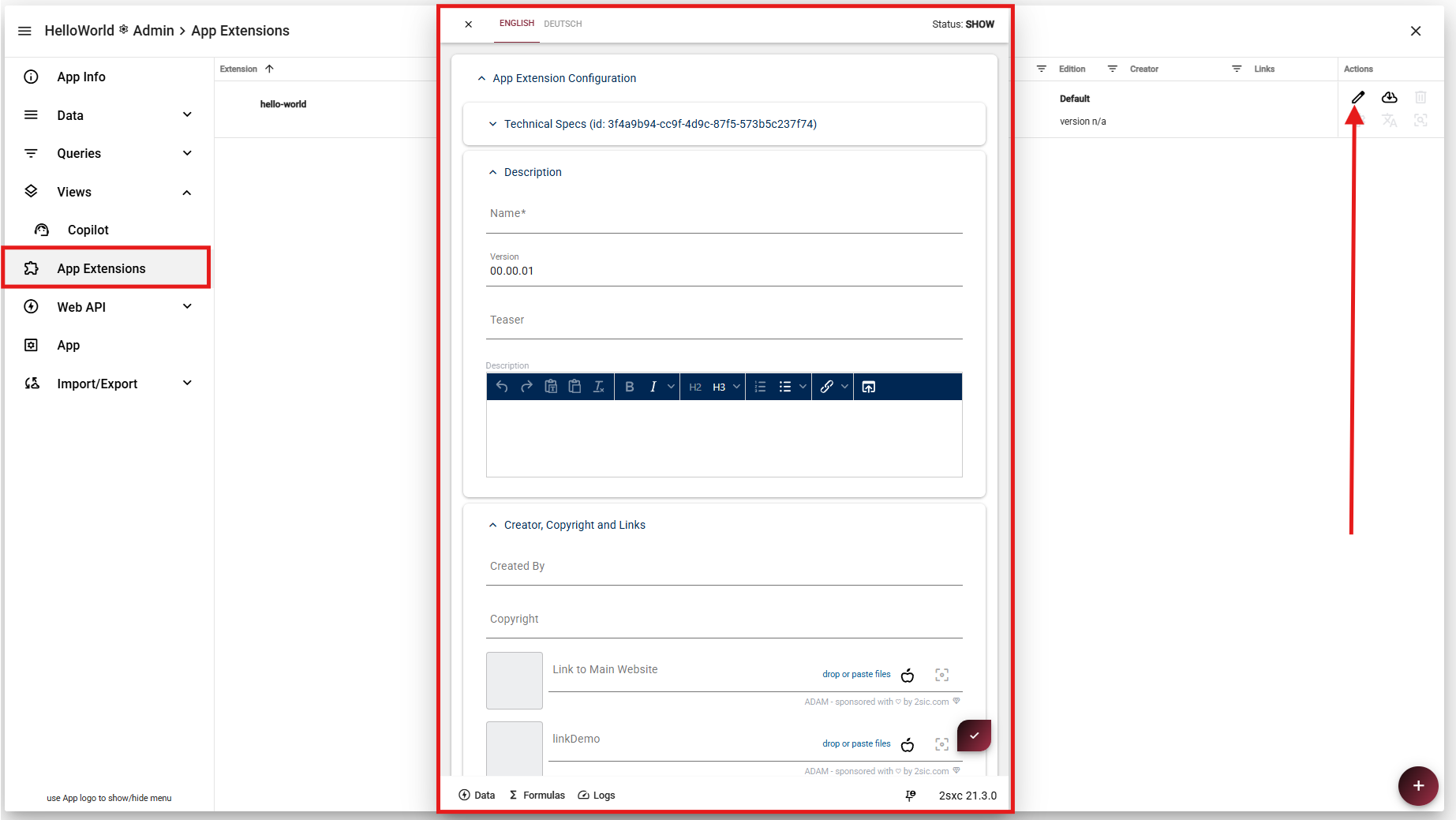
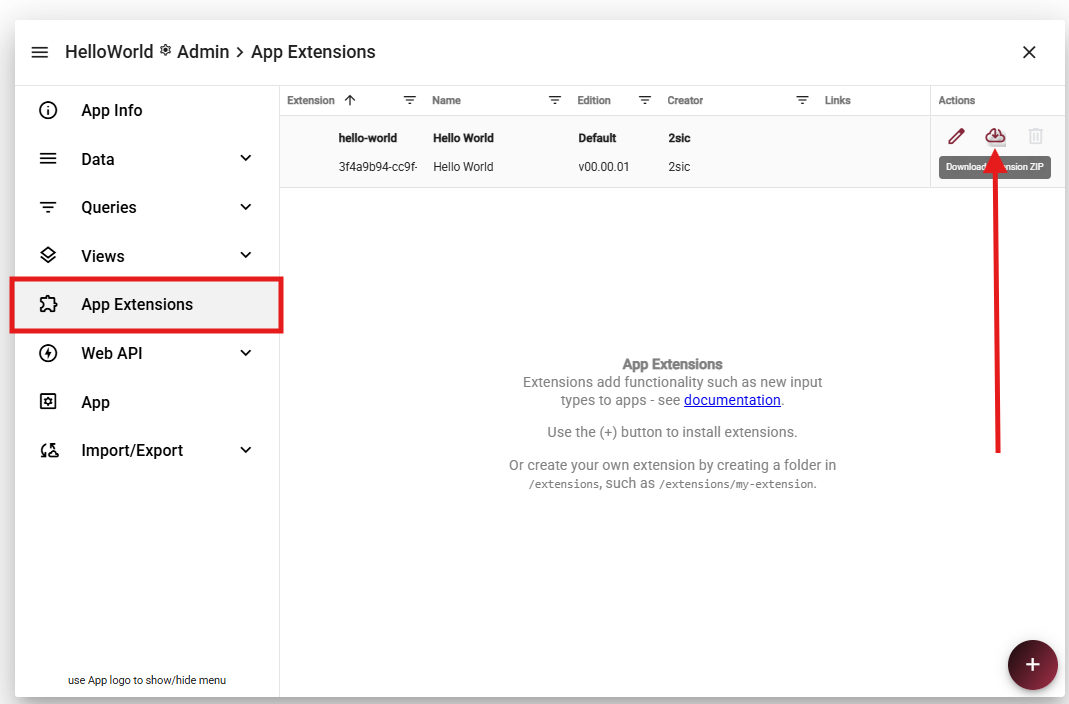
Go to App Settings and open App Extensions.

You will see the extension you recently created.
Click the edit (pen) icon to open its configuration.

Inside the configuration, you can define various settings and metadata for your extension, including its available Features.

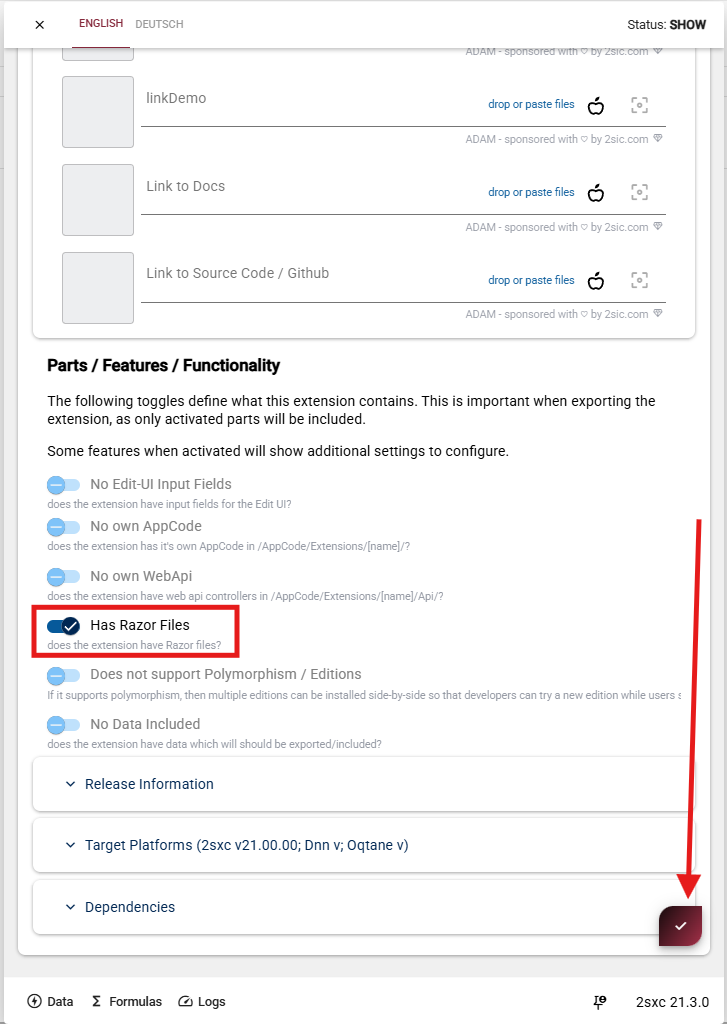
Since this extension contains a Razor component, make sure to enable/select:

  • Has Razor Files

This ensures your Razor component is properly registered and available.

After making your changes, click Save to apply and store the configuration.

Step 4: Export Your Extension

To export the extension, go to App SettingsApp Extensions.

Locate your extension and click the Download icon (cloud with arrow) to export and download the configuration.

This will generate and download the extension package to your local machine.

Step 5: Import Your Extension into Another App

To import your extension into a different App:

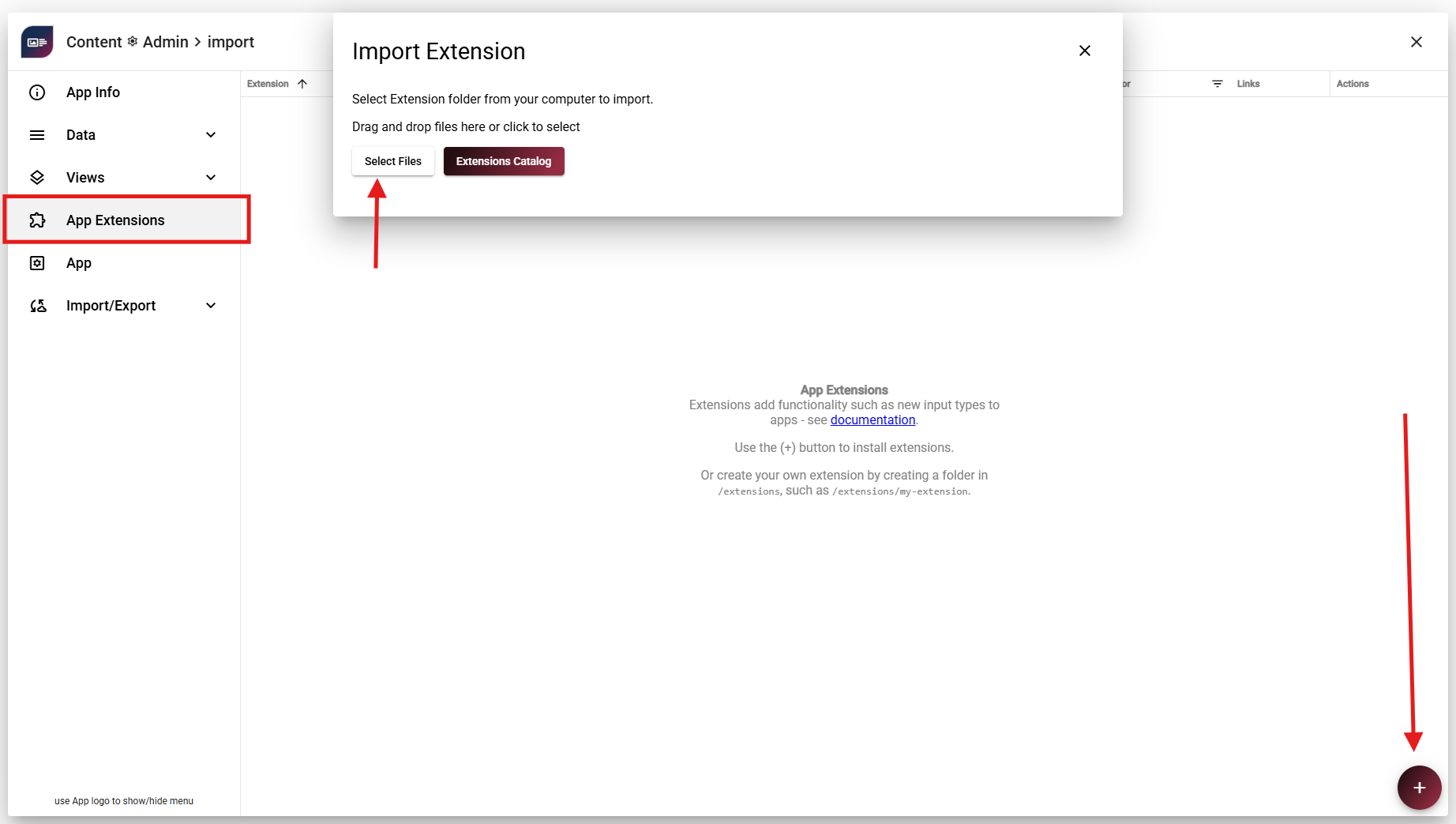
  1. Go to App SettingsApp Extensions
  2. Click the + icon (bottom right)
  3. Select "Select Files"
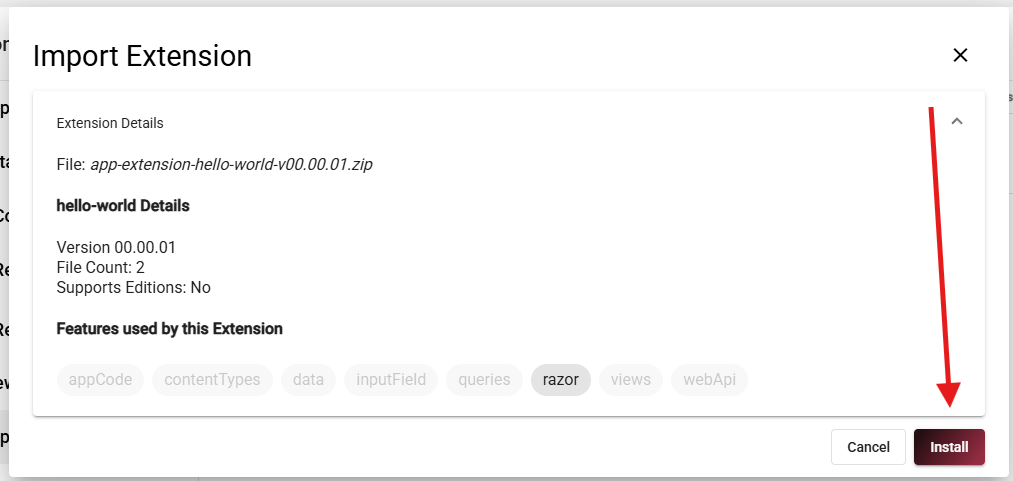
  4. Choose the extension package you previously exported
  5. Click Install

Once the installation is complete, the extension will be available in the new App.

Step 6: Distribute the App

This is optional - and in the case of the Hello World not useful - but you can distribute your extension to other users via the Marketplace. To do that, you need to create a package and submit it to the Marketplace.

Tip

Just reach out to us and we'll help you get started.

Recap

In this tutorial, you learned how to create and distribute a simple Hello World App Extension.

Here's what you accomplished:

  • Created a custom extension folder inside /extensions/hello-world
  • Built a simple Razor component (Greeting.cshtml)
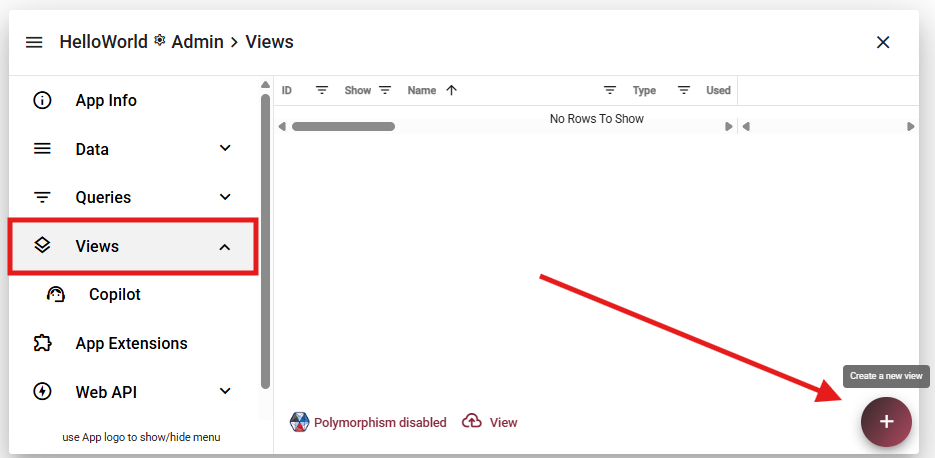
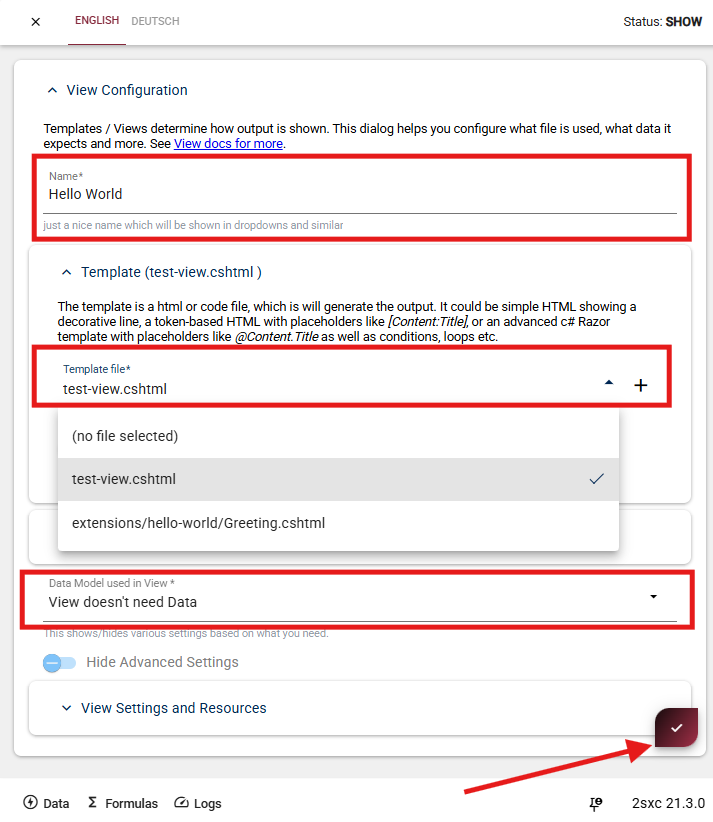
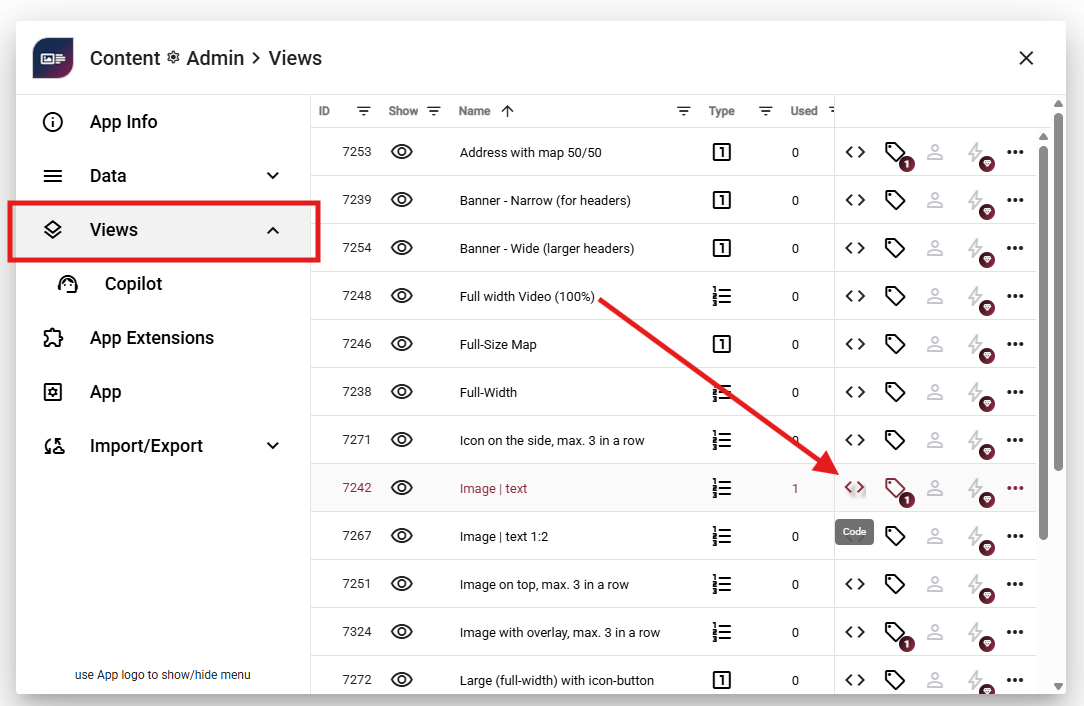
  • Created a test view to verify the extension works using @Html.Partial(...) and added it to a page
  • Configured the Extension
  • Exported the extension as a reusable package
  • Imported and installed the extension in another App
  • Embedded the extension into an existing View to verify it works