App Extensions - Razor and Views
Razor extensions let you ship reusable Razor files and optional view definitions.
Tip
Use this when you want to reuse presentation components across multiple apps.
What Can Be Included
- Razor files in
/extensions/{ExtensionName}/ - Partial Razor files for reusable UI blocks
- Optional view definitions so editors can select these views in the picker
- Optional base/helper code in AppCode
Location and Naming
Place Razor files in:
/extensions/{ExtensionName}/
Optional organization:
/extensions/{ExtensionName}/Views//extensions/{ExtensionName}/Partials/
Suggested naming:
- Views:
/extensions/{ExtensionName}/{ViewName}.cshtml - Partials:
/extensions/{ExtensionName}/Part{Something}.cshtml - Base classes:
/AppCode/Extensions/{ExtensionName}/{Something}Base.cs
Packaging & export
Tip
Razor files are exported only if they are declared in the extension configuration.
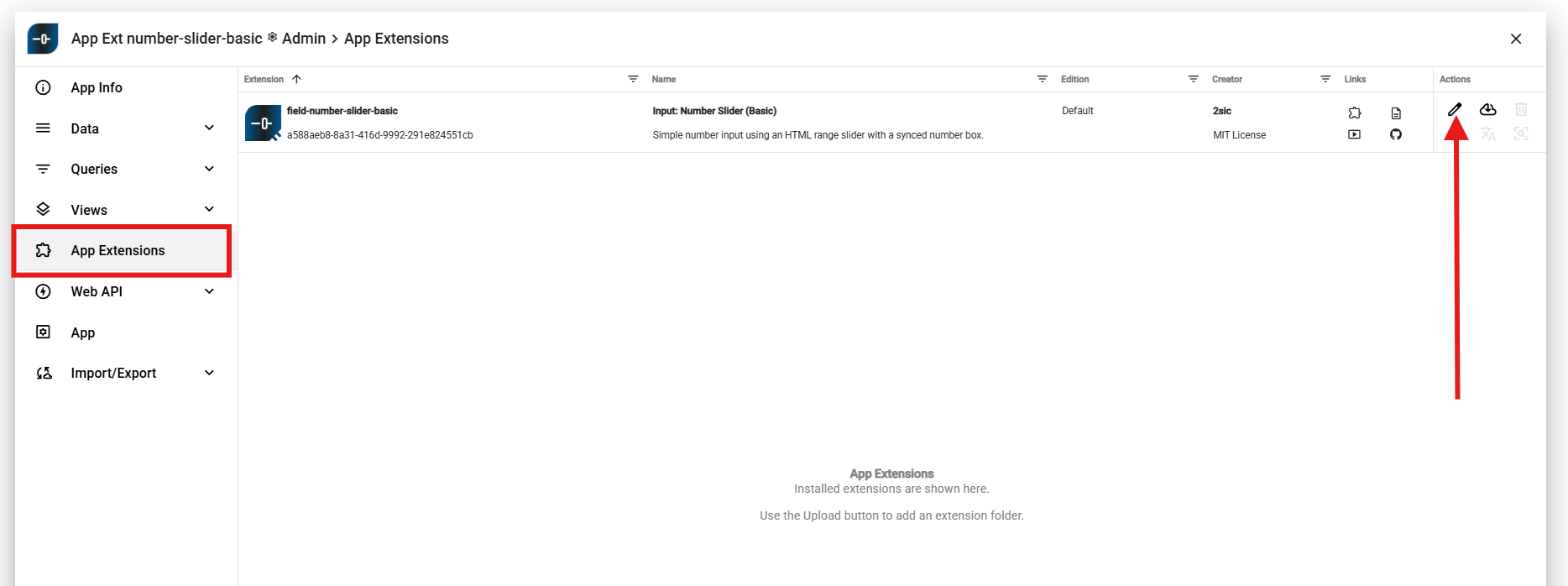
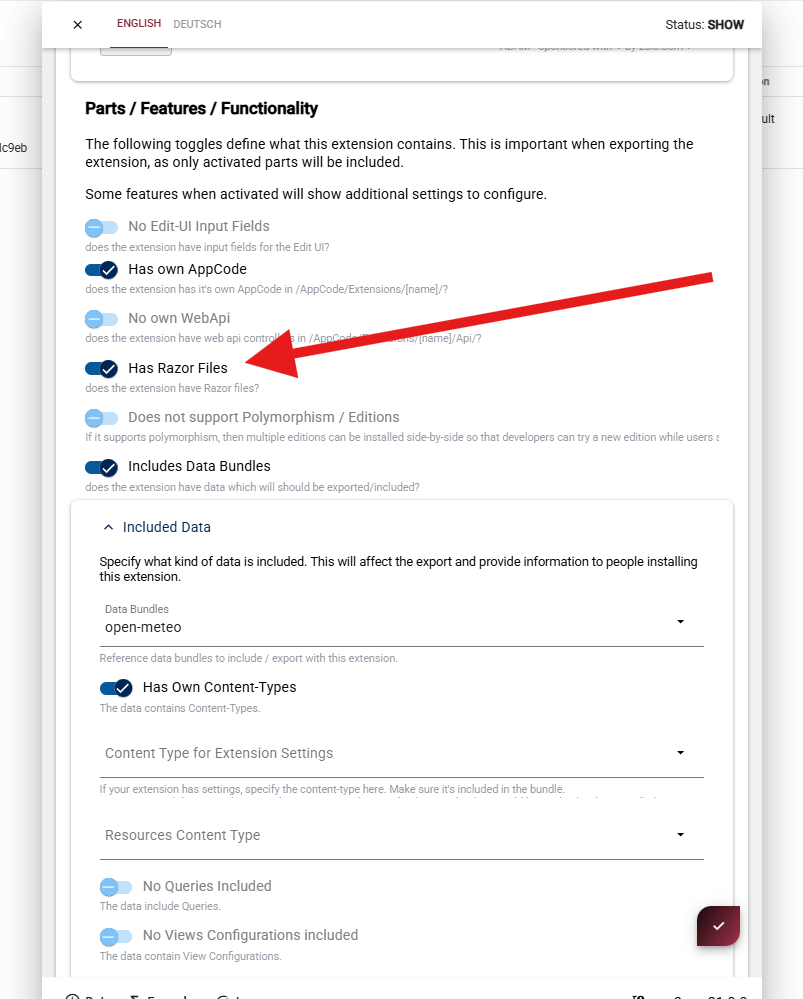
To include Razor files in an extension:
- Open extension configuration
- Enable Has Razor Files
- Save
If You Include View Definitions
Tip
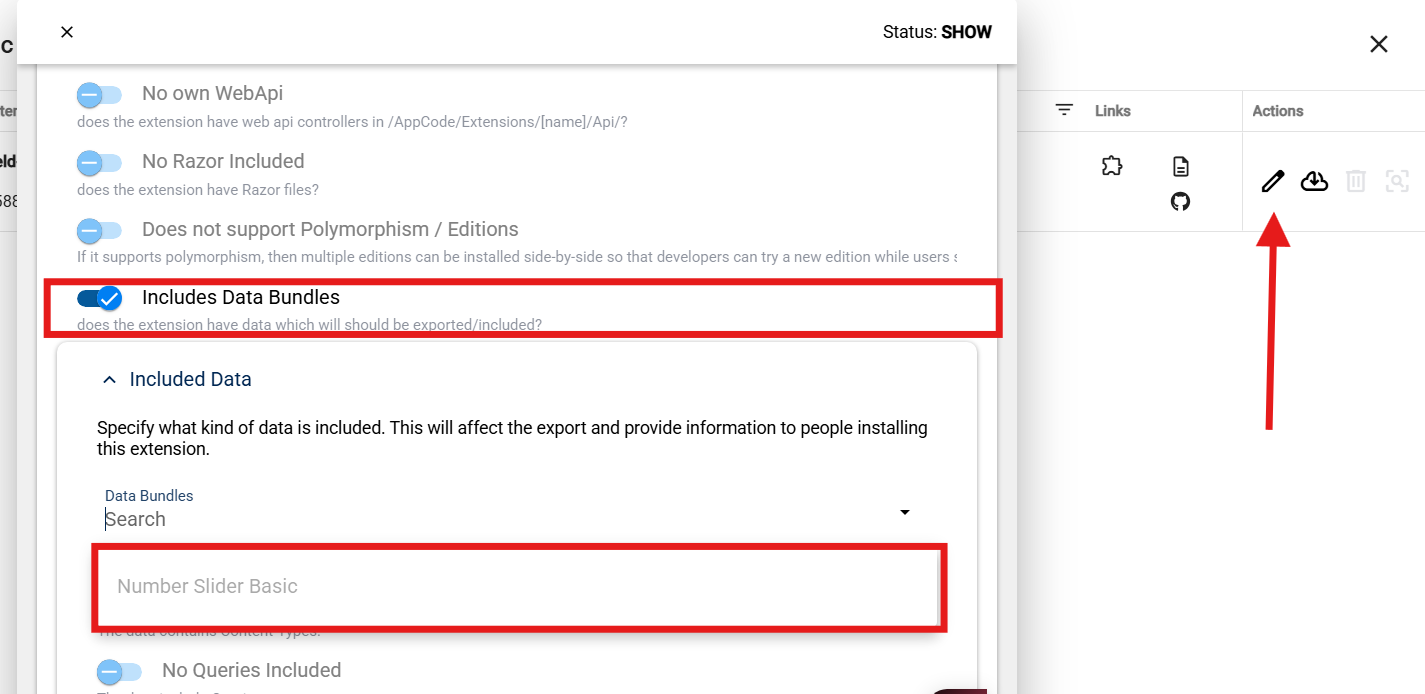
View definitions are entity data. They must be included in extension data export settings.
If your extension should ship ready-to-select views:
- Ensure view entities exist in the app
- Include them in the extension data/export definition
- Verify all required dependencies (queries, content types) are included as well
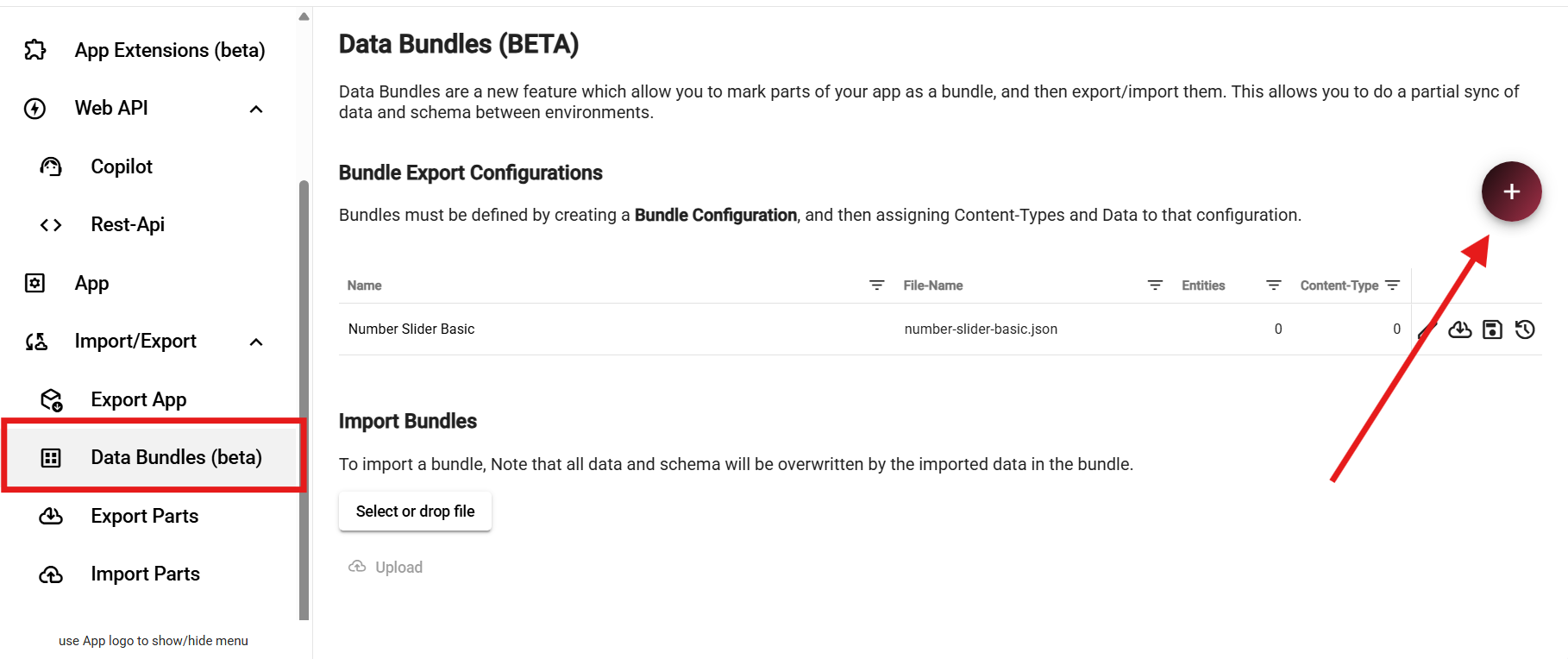
Include Settings in Extension Export (Optional)
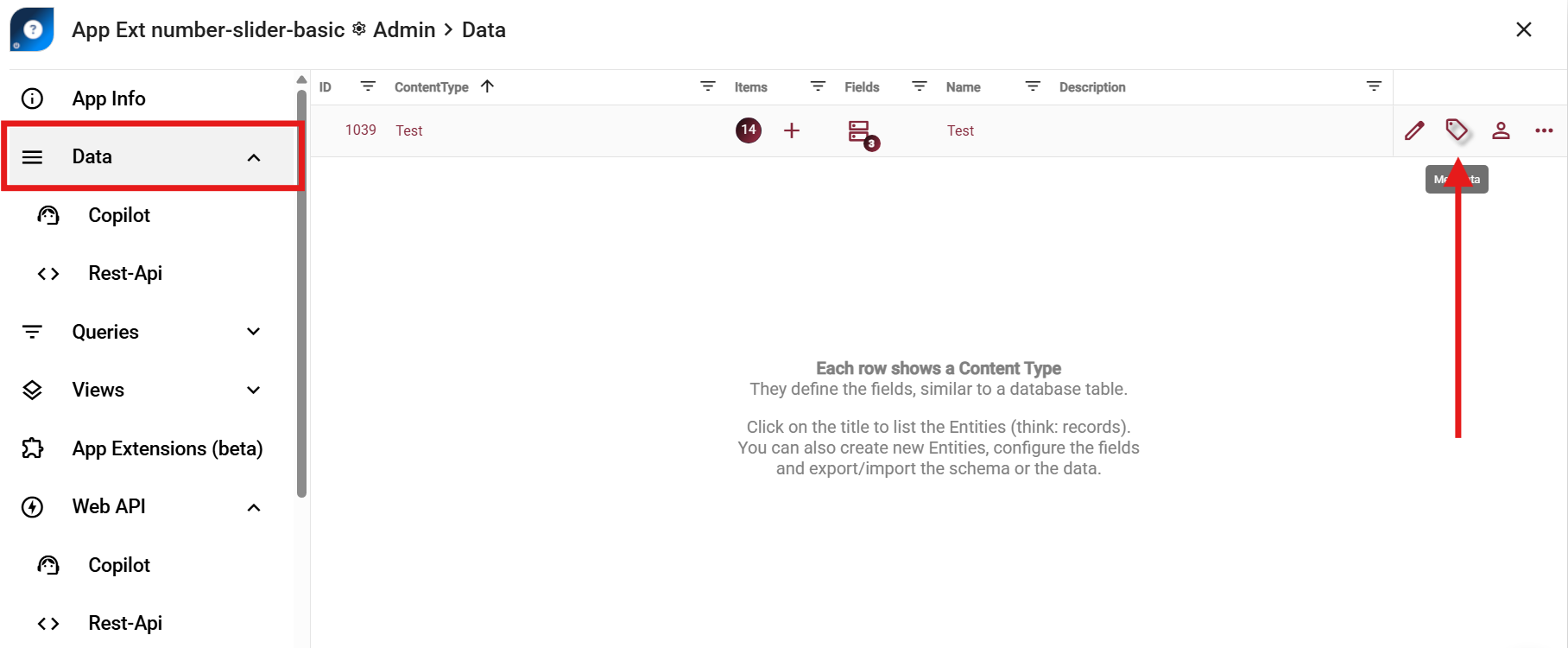
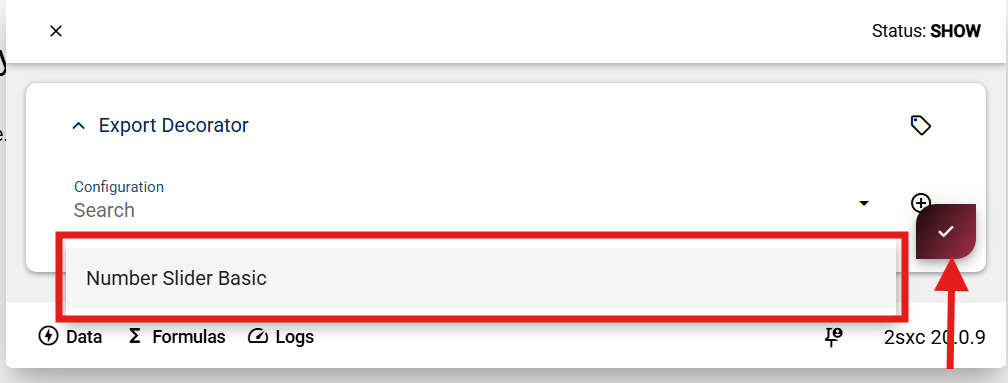
If your Razor extension also has a settings ContentType (for example @{extension-name}),
include it in export/import using this workflow:
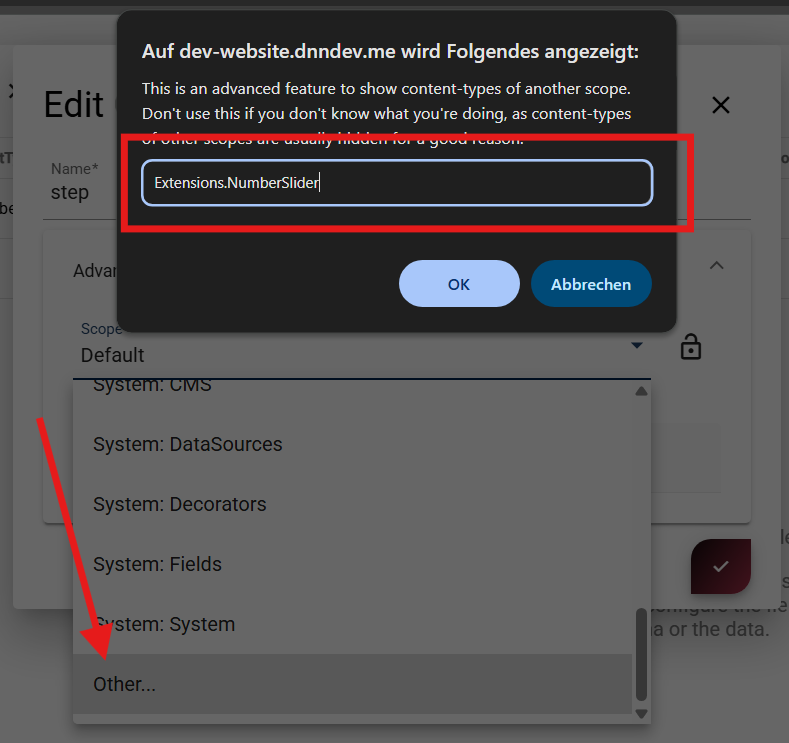
Move the settings ContentType into a dedicated scope so it stays out of normal app content lists.
Recommended scope pattern:
Extensions.{ExtensionName}
History
- Beta in v20.09, to be released in v21.00
- Updated Pictures