Configure Table
The table settings control how users work with the list.
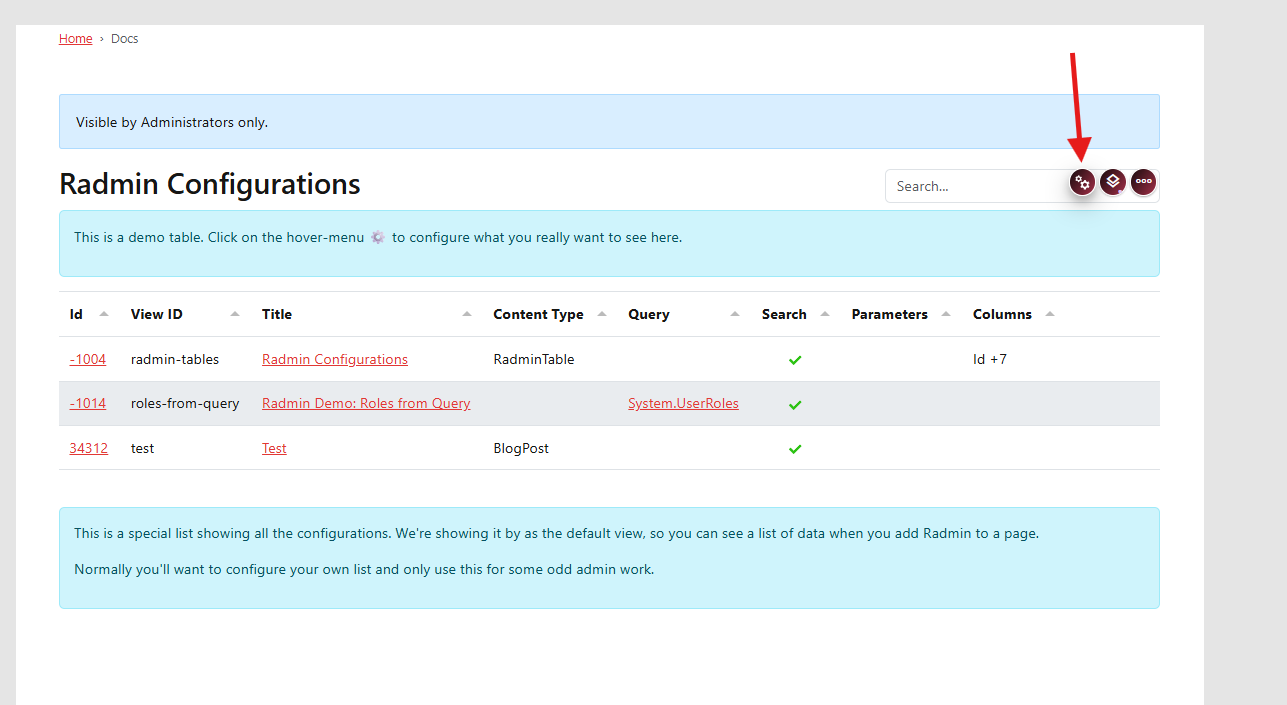
Open Configuration
Open the table configuration section.
Configure Table Features
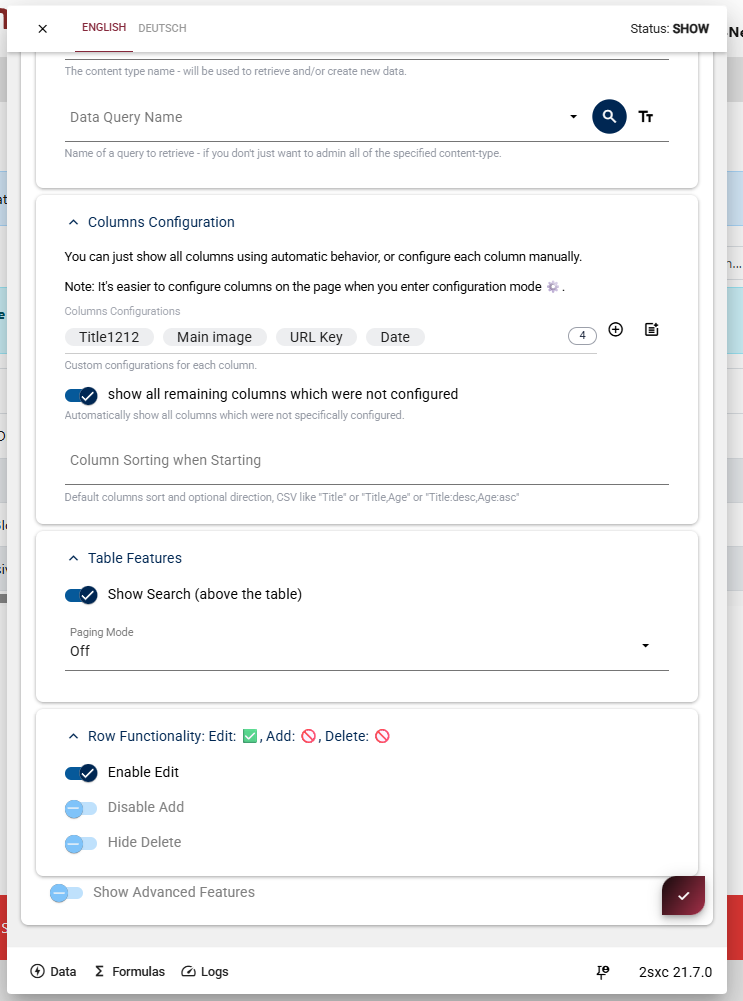
In Table Features, you can configure:
- Search functionality
- Paging options
Configure Row Functionality
In Row Functionality, decide if users can:
- Add new items
- Edit existing items
- Delete items
Advanced Features
If you need special behavior, check Advanced Features for more options.
After configuring all sections, save and refresh your page to test the table interaction as an editor.
Next step:
Continue with Configure Columns.