Configure View
The view configuration defines what the Radmin table is and what data it should load.
General Settings
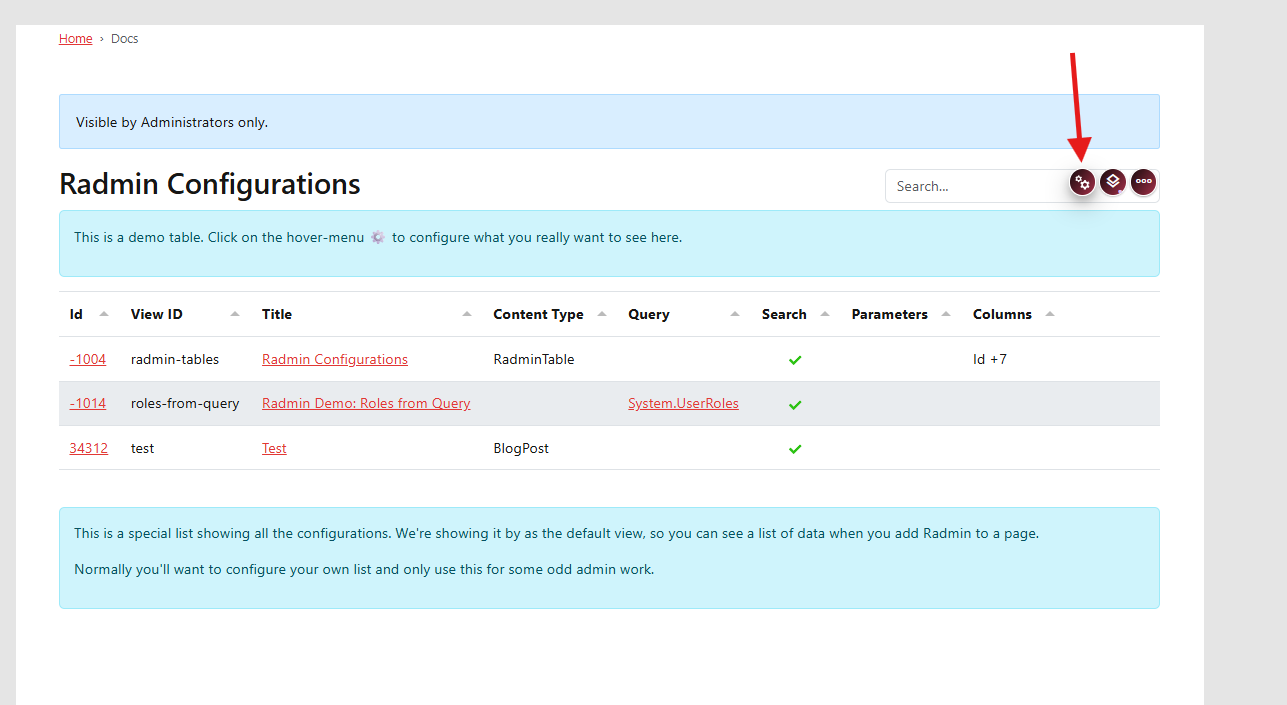
Open the view settings dialog.
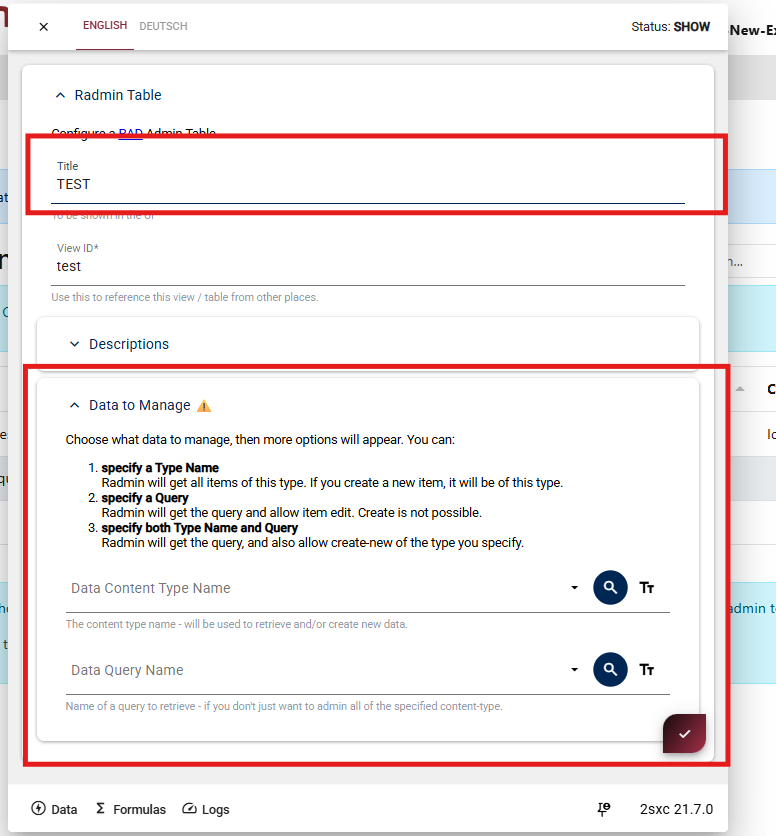
Title
The heading shown above your table.
View ID
A unique identifier for this Radmin setup. You will use this when linking to this view later.
Data to Manage
Configure your data source by selecting one of these patterns:
Content Type only
Manage all items of one content type.
Query only
Show data from a query result.
Content Type and Query
Read data from query, create new items with a selected content type.
After configuring, save the dialog and check the table result on the page.
Next step:
Continue with Configure Table.