Detail View
Radmin can automatically open an item's detail view when you click a configured column.
Enable Configuration Mode
Enable configuration mode and edit the column you want to make clickable.
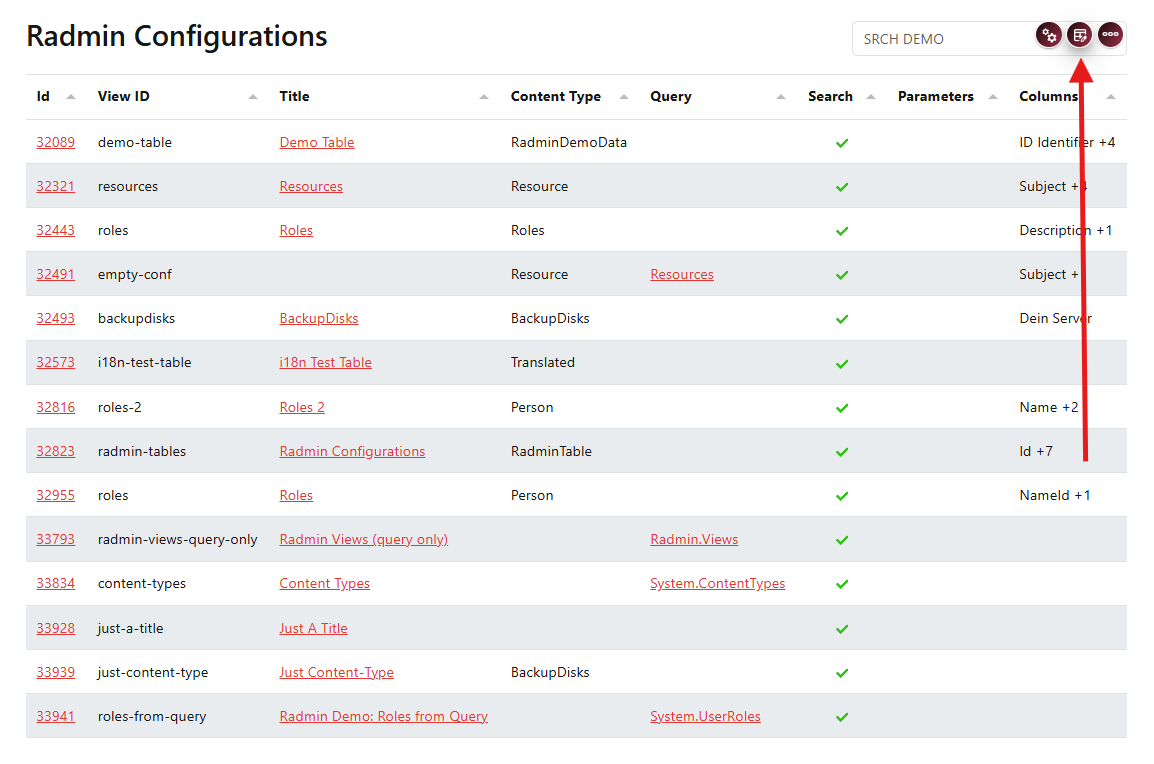
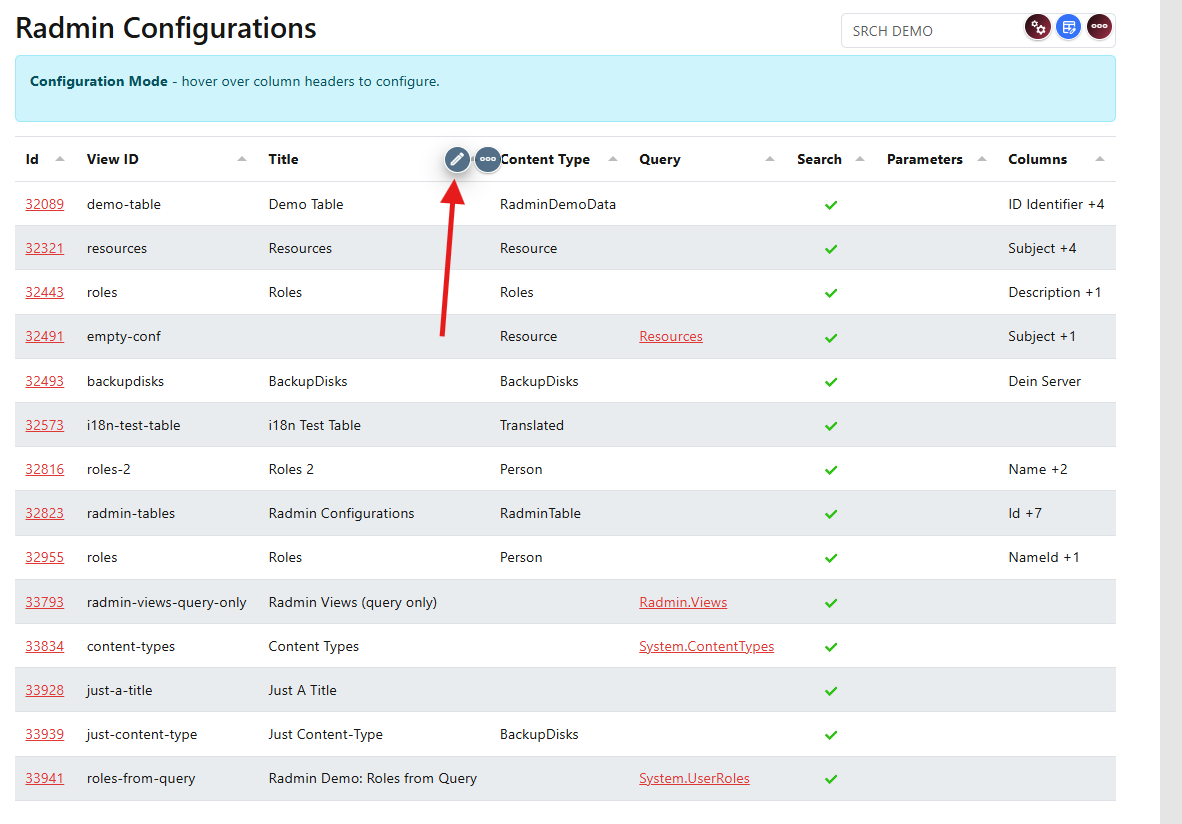
You can now edit this column's linking behavior.
Select the Details View
In the column settings, set Link Type to View (select from list), then choose Radmin Details (Default) in the Reference a Specific View dropdown.
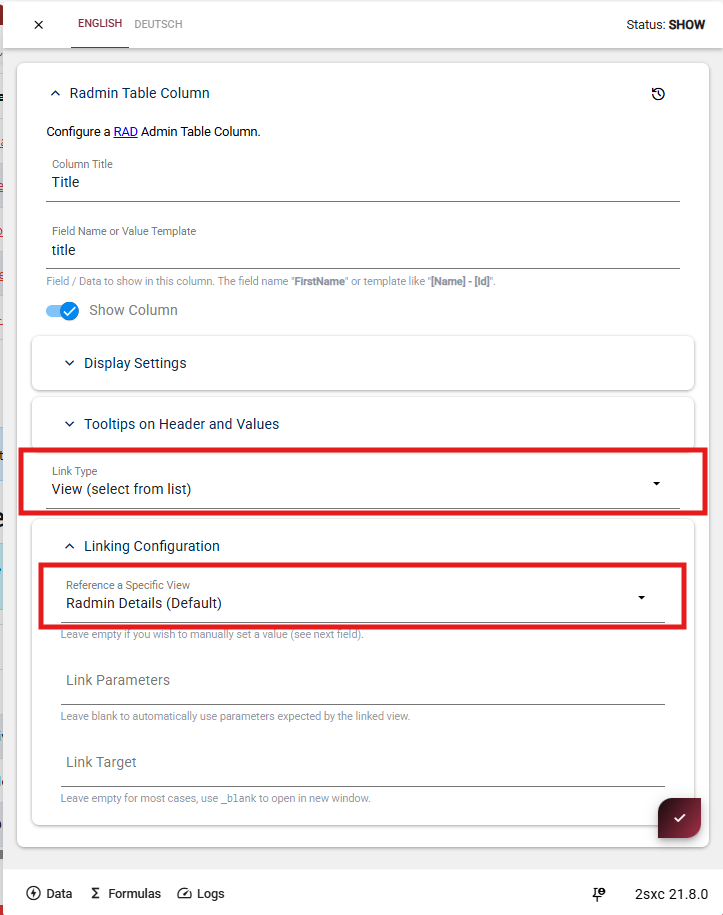
Reference a Specific View
Select Radmin Details (Default) to open the built-in detail view when the column is clicked.
Link Parameters (Optional)
Leave empty to automatically use the parameters expected by the linked view.
Next step:
Continue with Link and Detail Sites to set up advanced linking options.