TODO: @2rb - make sure it makes sense
Define, Export, Import: Complete Lifecycle of an App Extension
This page shows the complete lifecycle of an App Extension, from defining to exporting and importing. It will be referenced by all other App Extension tutorials. It will walk you through the steps of
- creating an extension definition
- exporting the extension
- importing it into another App
Tip
In the Hello World App Extension tutorial, you can find a complete step-by-step example of the entire lifecycle, from creating to exporting and importing an extension.
Prerequisites
This assumes you have already
- created the app extension folder (like
extensions/hello-world/) - and put something inside it
Step 3: Configure and Build the Extension
- Open App Settings -> App Extensions, then edit your extension.
- Configure it as needed
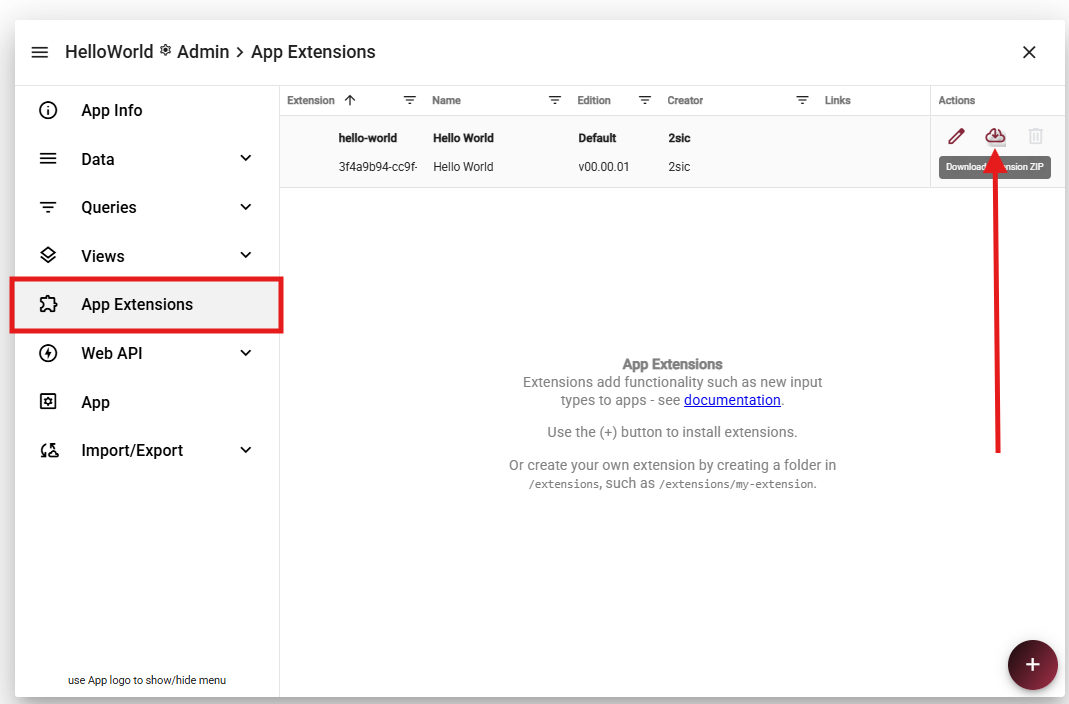
Step 4: Import into Another App
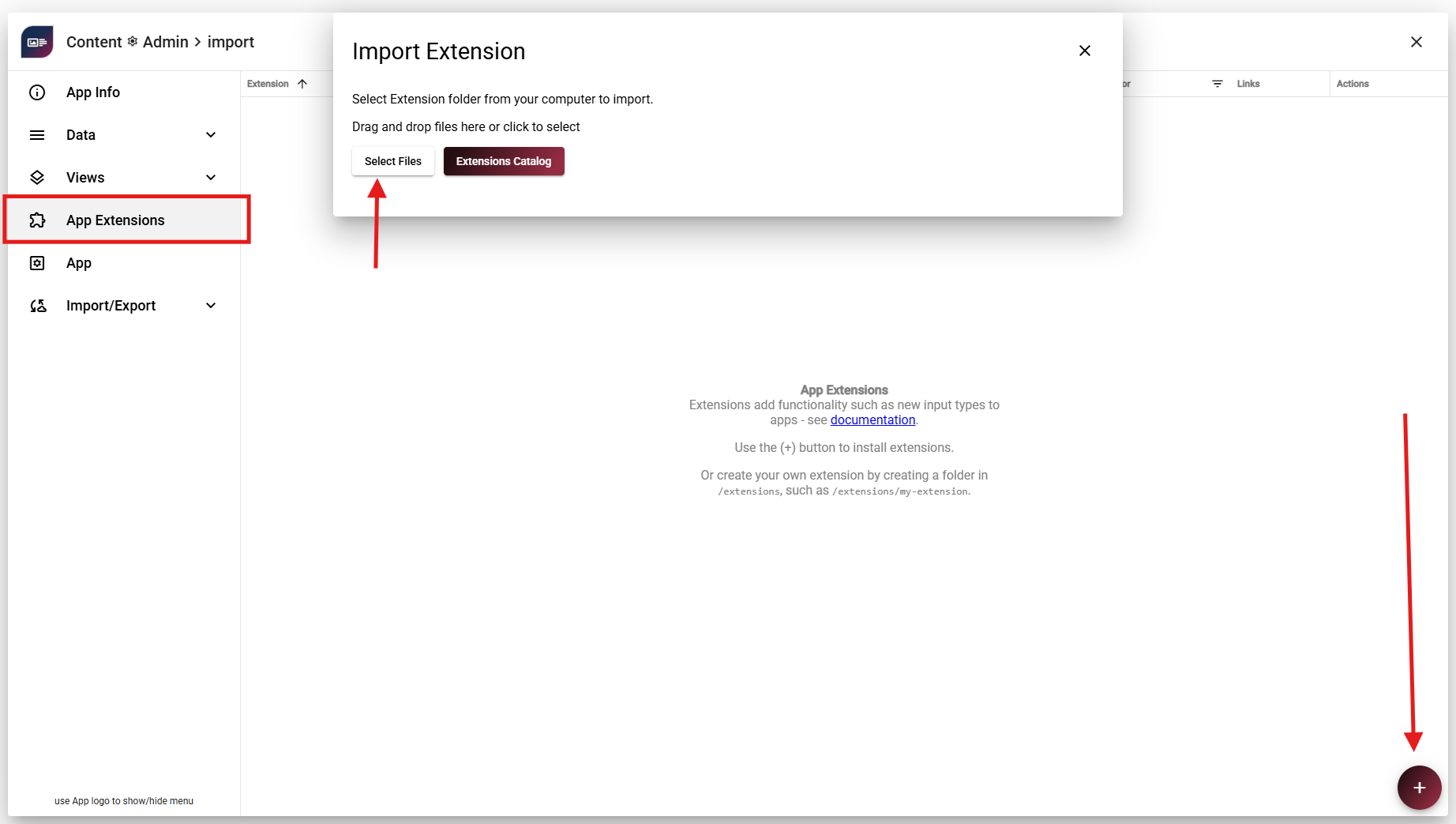
- Go to App Settings -> App Extensions in the target App
- Click +
- Choose Select Files
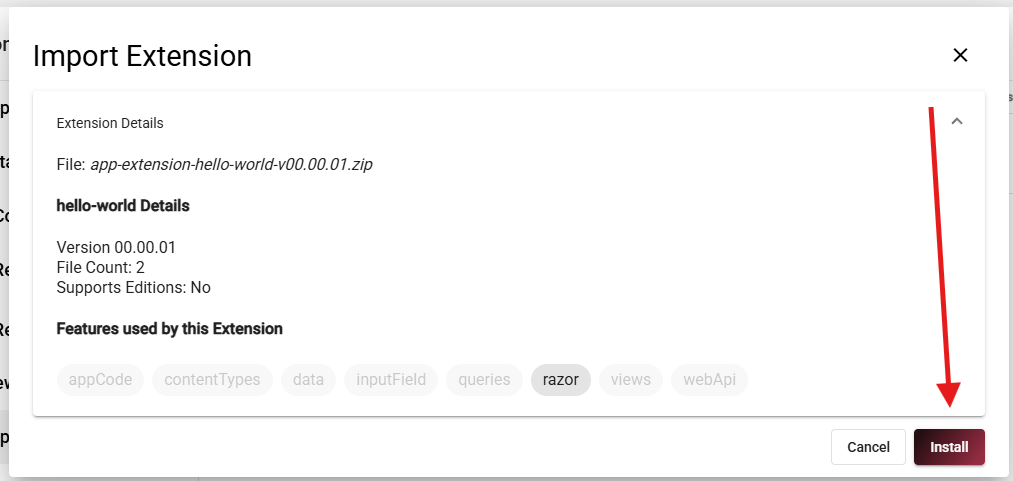
- Pick the exported package
- Click Install
Optional: Publish to Marketplace
For production-ready extensions, you can publish packages in the 2sxc Marketplace.
Tip
If you want to publish, reach out and we can help with the packaging checklist.
Recap
You created, tested, configured, exported, and re-imported a working extension. That is the core workflow for all App Extensions.