App Extensions - Overview (new v21 ⭐)
App Extensions are a powerful way to extend the functionality of your 2sxc Apps. They allow you to add custom features, tools, and integrations that can enhance the capabilities of your applications.
Tip
Think of App Extensions like nuget or npm packages, but specifically designed for 2sxc Apps. They can include code, templates, styles, and other resources that can be easily integrated into your App.
Examples
Example: Input Field Extension
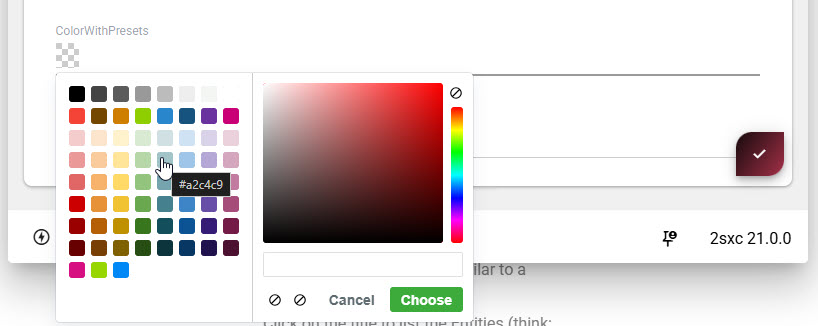
An example App Extension is the Color Picker Spectrum extension. This extension adds a custom input field that allows users to select colors. Once installed, it can be used in any App to provide a rich color selection experience on a string-input field like this:Example: Admin Tools Extension
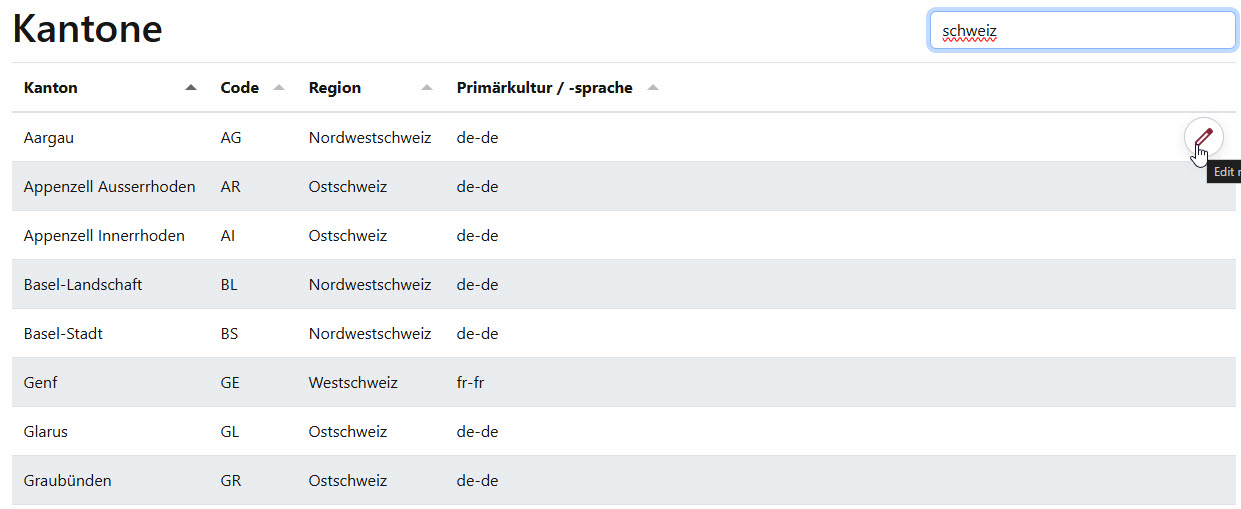
Another example is an Admin Tools extension Radmin which lets you quickly create admin tables of data to manage:Example: DataSource Extension
A DataSource extension like Open Meteo allows you to fetch weather data from the Open Meteo API and use it within your App's queries.
Key Features of App Extensions
- Isolated: App extensions are in a special folder, so they don't interfere with the main App code.
- Manageable: Easily install, update, and remove App extensions.
- Shareable: App extensions can be exported and shared with others, making it easy to reuse.
- Versioned: Many apps can have the same extension in its own version.
- Configurable: Many App extensions come with settings that allow you to customize their behavior.
- Polymorphic: App extensions can be installed in multiple editions, allowing you to test a new edition while keeping the stable one active.
Getting Started with App Extensions
To start using App extensions, follow these steps:
Access the App Extensions Interface: Navigate to the App management section in your 2sxc installation and select the App you want to extend.
- Browse Available Extensionsbrowse extensions in the App Catalog
- Install an Extensionselect an extension and follow the prompts to add it to your App
Tip
For a first experience, we recommend you try the Color Picker Spectrum extension, which adds a color selection tool to your Apps.
Types of App Extensions
App extensions can come in various types - and they can combine all the types, including:
- Input Typescustom input fields for data entry
- App Code and Web APIscustom C# code and Web APIs to add server-side functionality
- Visual Queriespredefined queries that can be reused across different parts of your App
- Templates / Viewscustom templates for rendering content
- DataSourcescustom data sources for retrieving and manipulating data
- Scripts: JavaScript or server-side scripts that add functionality.
- Styles: CSS styles that can be applied to your App's appearance.
- Tools: Utilities that enhance the App development experience.
Developing Your First App Extension
➡️ For first steps, let's create a simple Hello-World extension.
History
- Introduced in 2sxc v21
Shortlink: https://go.2sxc.org/app-ext